
You probably know the feeling of checking your bank balance at the end of the month and wondering where that last $500 went. It wasn’t a single large purchase; it was a slow leak of $12 streaming services, $4 coffee runs, and $15 lunch upgrades. According to the Bureau of Labor Statistics, the average U.S. consumer unit spent $77,280 in 2023, an increase that highlights just how quickly daily costs can spiral. If you want to gain control over your financial future, you must move from passive observation to active management.
Tracking your money is the single most effective way to stop overspending. However, the market is flooded with “free” apps that eventually hit you with a subscription fee. Finding a truly free expense tracker that provides actionable data without a monthly bill requires some digging. In 2025, several high-quality tools remain available to help you categorize your spending, visualize your habits, and find those hidden savings opportunities.
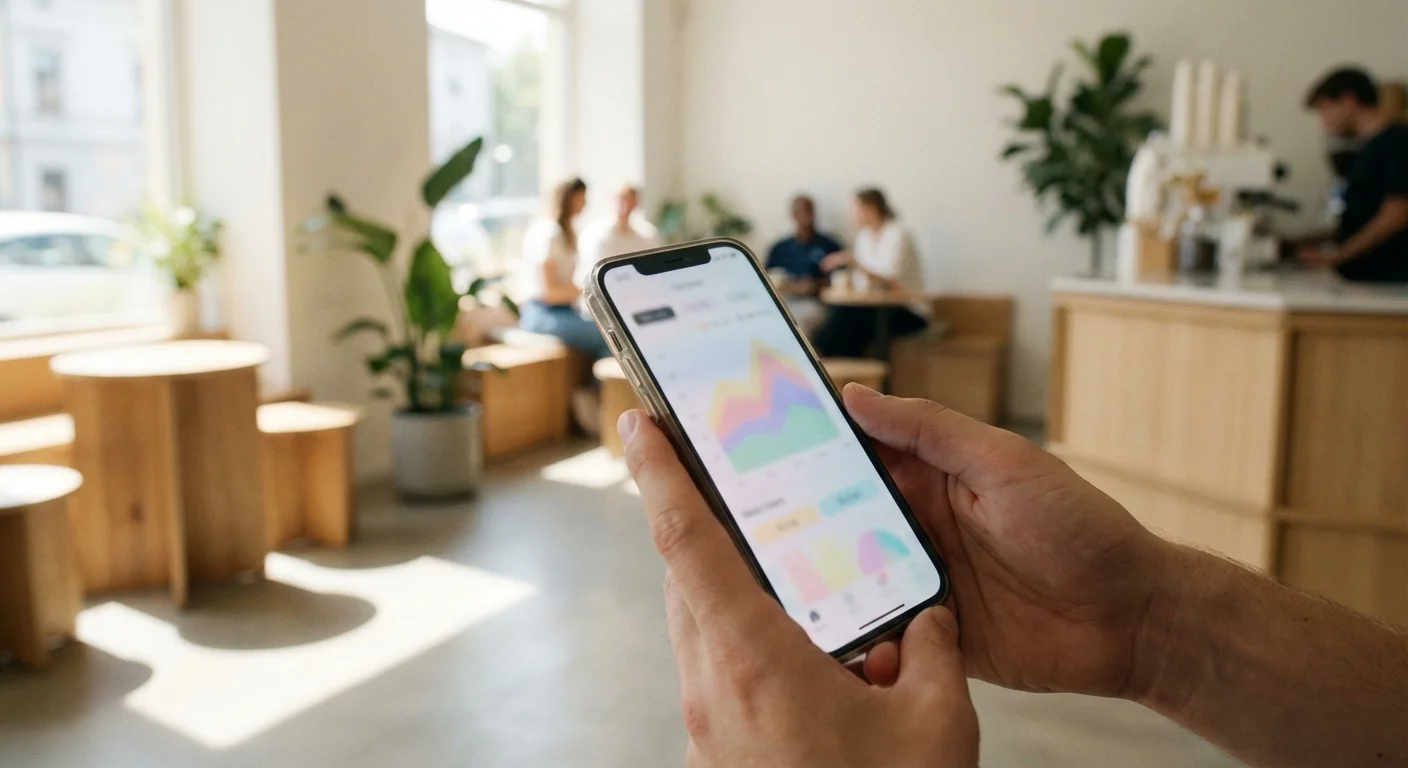
The Power of Awareness: Why a Daily Spending App Changes Everything
Most people view budgeting as a restrictive exercise in self-denial; in reality, it is a tool for liberation. When you use a daily spending app, you aren’t just looking at numbers—you are looking at your priorities. If your app shows you spent $400 on dining out but only $50 on your goal of a European vacation, you have a data-driven reason to change your behavior tomorrow.
The Consumer Financial Protection Bureau emphasizes that tracking expenses is a foundational step in building financial resilience. By seeing your transactions in real-time, you reduce the “cognitive load” of trying to remember what you spent on Tuesday. This clarity allows you to make better decisions at the point of sale. Instead of guessing if you can afford that new pair of shoes, you can check your app and see exactly how it impacts your rent money or your savings targets.
“It’s not your salary that makes you rich, it’s your spending habits.” — Charles A. Jaffe

1. Empower: Best for High-Level Net Worth and Expense Overview
Formerly known as Personal Capital, Empower remains a powerhouse in the world of free finance apps. While they primarily offer investment management services, their personal finance dashboard is completely free to use and offers some of the best automated tracking available today. If you want a tool that connects to your bank accounts and organizes your life without requiring you to manually enter every taco you buy, this is your best bet.
Empower excels at showing you the “big picture.” Once you link your checking, savings, and credit card accounts, the app automatically categorizes your transactions. You can view your spending by date, merchant, or category. The “Cash Flow” tool is particularly useful for daily spending; it compares your current month’s spending to the previous month, giving you a real-time warning if you are trending toward a deficit.
The Catch: Because Empower makes money through wealth management, they may call you to offer their paid services if your linked accounts reach a certain balance. However, you are under no obligation to use their paid advisors to keep the tracking tools for free. It is a small trade-off for a high-end dashboard that rivals many paid competitors.
2. NerdWallet: Best for All-In-One Tracking and Credit Monitoring
Many people already use NerdWallet to compare credit cards or insurance rates, but their mobile app has quietly become one of the most user-friendly free finance apps on the market. It utilizes a simple, clean interface that focuses on your cash flow and net worth. It is particularly effective for those who want a “set it and forget it” experience.
The app uses bank-level security to link your accounts and automatically sorts your transactions into categories like groceries, bills, and shopping. What sets NerdWallet apart is its integration of your credit score. You can see how your spending habits—specifically your credit card utilization—affect your credit score in real-time. This creates a holistic view of your financial health that most simple trackers lack.
For daily spenders, the “Cash Flow” feature provides a breakdown of your income versus your expenses. It highlights where you are spending the most and offers suggestions on where you might cut back. If you notice your “discretionary” spending category is creeping up mid-month, the app gives you the visual data needed to pivot before you overdraw.

3. Goodbudget: Best for the Digital Envelope System
If automated apps feel too hands-off for you, Goodbudget offers a different approach. Based on the time-tested “envelope system,” this app requires you to be much more intentional with your money. You allocate your income into different digital envelopes—such as $500 for groceries or $100 for entertainment. As you spend money, you subtract the amount from the relevant envelope.
The free version of Goodbudget allows for 10 regular envelopes and 10 “more” envelopes, which is usually enough for most households to cover their basic needs. Because you must manually enter your transactions (or upload a bank file), you are forced to confront your spending every time it happens. This friction is actually a feature, not a bug; it creates a psychological barrier to impulsive purchases.
Goodbudget is excellent for couples. You can sync your budget across multiple devices, meaning both you and your partner can see how much is left in the “Dining Out” envelope before one of you decides to order takeout. This transparency reduces “financial infidelity” and keeps both parties on the same page regarding daily spending goals.

4. EveryDollar: Best for Zero-Based Budgeting
Created by the Ramsey Solutions team, EveryDollar is built on the philosophy that every single cent you earn should have a “name” or a purpose before the month begins. This is known as zero-based budgeting. If you earn $4,000 this month, your total expenses, savings, and debt payments should equal exactly $4,000.
The free version of EveryDollar is a manual-entry app. While some might find manual entry tedious, it is arguably the best way to track my money if you are serious about debt repayment or extreme savings. When you physically type in that you spent $65 at the gas station, you are significantly more aware of that outflow than if an app simply categorized it in the background.
The interface is incredibly intuitive. You create your categories, set your planned spending, and then track your actual spending against those goals. It doesn’t clutter your screen with investment data or credit scores; it focuses entirely on your budget. For someone looking to get out of debt or stop living paycheck to paycheck, this focused approach is often more effective than broader financial dashboards.

5. PocketGuard: Best for Preventing Overspending
PocketGuard aims to answer one specific question: “How much money do I actually have left to spend?” Many people look at their bank balance and see $1,000, forgetting that $800 of that is already spoken for by upcoming bills. PocketGuard solves this by calculating your “In My Pocket” number.
The app links to your accounts, identifies your recurring bills and subscriptions, and factors in your savings goals. It then subtracts those obligations from your total balance to show you exactly how much spendable cash you have for the day, week, or month. This “safety margin” is a game-changer for daily spending because it provides a realistic limit on your discretionary purchases.
The free version allows you to track your spending and manage your bills, though it does limit some of the more advanced features like custom categories. Even with these limitations, the core “In My Pocket” feature provides more actionable daily insight than almost any other free tracker on the market. It effectively acts as a financial guardrail for your wallet.
Comparing the Top Free Expense Trackers for 2025
Choosing the right app depends on whether you prefer automation or manual control. The following table breaks down the key features of our top five picks to help you decide which fits your lifestyle.
| App Name | Best For | Tracking Style | Bank Syncing (Free Version) |
|---|---|---|---|
| Empower | Net Worth / High-Level View | Automated | Yes |
| NerdWallet | Overall Financial Health | Automated | Yes |
| Goodbudget | Envelope System | Manual | No |
| EveryDollar | Zero-Based Budgeting | Manual | No |
| PocketGuard | Knowing Spendable Cash | Automated | Yes |

Don’t Fall For These Common Tracking Mistakes
Even with the best finance apps at your fingertips, you can still fail to save money if you fall into certain traps. Expense tracking is a discipline, not just a download.
- Ignoring Cash Transactions: Automated apps are great for credit and debit cards, but they often miss the cash you spend at farmers’ markets or for tips. If you use cash frequently, you must choose an app that allows for manual “cash” entries or you will have a significant blind spot in your budget.
- Set It and Forget It: Automation is a tool, not a solution. If you never open the app to review the categories, you won’t learn anything about your behavior. Set a weekly “money date” for 10 minutes to review your transactions and ensure they were categorized correctly.
- Over-Categorizing: Don’t create 50 different categories for your spending. It becomes overwhelming. Keep it simple: Groceries, Housing, Transport, Utilities, and “Everything Else.” You can get more granular later, but starting too complex often leads to quitting within a month.
- Relying on “Pending” Transactions: Most apps show pending transactions, but the final amount (especially with tips at restaurants) might change. Always verify your final balances at the end of the week to ensure your tracker matches your bank reality.
When It’s Worth Paying for an App
While the free apps listed above are excellent, there are specific scenarios where a paid subscription might actually save you more money than it costs. Typically, paid versions (like YNAB or the premium version of EveryDollar) cost between $80 and $150 per year. You should consider upgrading if:
First, if you have complex finances involving multiple side hustles, rental properties, or dozens of accounts, a paid tool like Tiller (which feeds your data directly into Google Sheets) might be necessary for the level of customization you need. Second, if you find that you absolutely will not track your spending unless it is 100% automated with bank syncing—and your preferred app only offers that in the paid tier—the cost of the app is far less than the cost of unmonitored overspending.
The Bureau of Labor Statistics reports that transportation and food are the two largest discretionary spending areas for Americans. If a paid app helps you cut your dining out expenses by just $15 a month, the app has already paid for itself. However, for most people starting their journey, the free versions are more than sufficient to move the needle.

How to Start Tracking Your Money Today
You don’t need a perfect plan to start; you just need to start. Follow these three steps to get moving in the next ten minutes:
- Pick ONE App: Don’t overthink it. If you want automation, download Empower or NerdWallet. If you want to be hands-on, download EveryDollar.
- Link One Account: Start with your primary checking account or the credit card you use most for daily purchases. You don’t have to link everything on day one.
- Review Yesterday: Look at your transactions from the last 24 to 48 hours. Categorize them and see if any of them surprise you.
According to data from Clark Howard, the most successful savers are those who stay “engaged” with their money. By checking your app daily, you keep your financial goals at the front of your mind. It makes it much easier to say “no” to a $20 impulse buy when you’ve just seen that you’ve already spent your “fun money” for the week.
“Beware of little expenses; a small leak will sink a great ship.” — Benjamin Franklin
Frequently Asked Questions
Are free expense tracking apps safe?
Most reputable finance apps use 256-bit AES encryption and read-only access to your bank data. This means the app can see your transactions to categorize them, but it cannot move money or make withdrawals. Always enable two-factor authentication (2FA) for an added layer of security.
Do I have to link my bank account?
No. Apps like EveryDollar (free version) and Goodbudget are designed for manual entry. You simply type in your purchases as they happen. This is a great option for those who are concerned about privacy or who want to be more mindful of every dollar spent.
What is the best app for a beginner?
NerdWallet is often the best for beginners because it is truly free, easy to set up, and provides a very clear visual of where your money is going without requiring much manual effort.
Can I track my business expenses on these apps?
While you can use these apps for business, they are primarily designed for personal finance. If you have a small business, you might find that the “tagging” features in Empower or the custom categories in a paid tool like PocketGuard are better suited for separating business and personal costs for tax purposes.
Take Control of Your Daily Spending
The best time to start tracking your money was years ago; the second best time is right now. You do not need to be a math whiz or a financial expert to use these tools. You simply need the willingness to look at your spending honestly and the discipline to check your app before you tap your card at the register. By choosing one of these five free tools, you are taking the first step toward a more intentional, less stressful financial life.
Download your chosen app today and commit to using it for just 30 days. You will likely be surprised by how much money you find “hiding” in your current habits. The savings estimates in this article are based on typical costs and may differ in your area. Always compare current prices and consider your household’s specific needs.
Last updated: February 2026. Prices change frequently—verify current costs before purchasing.









Leave a Reply